Two Layout Options with ITX MB + ATX PSU
Layout 1: PSU in Front of the Motherboard (Recommended)
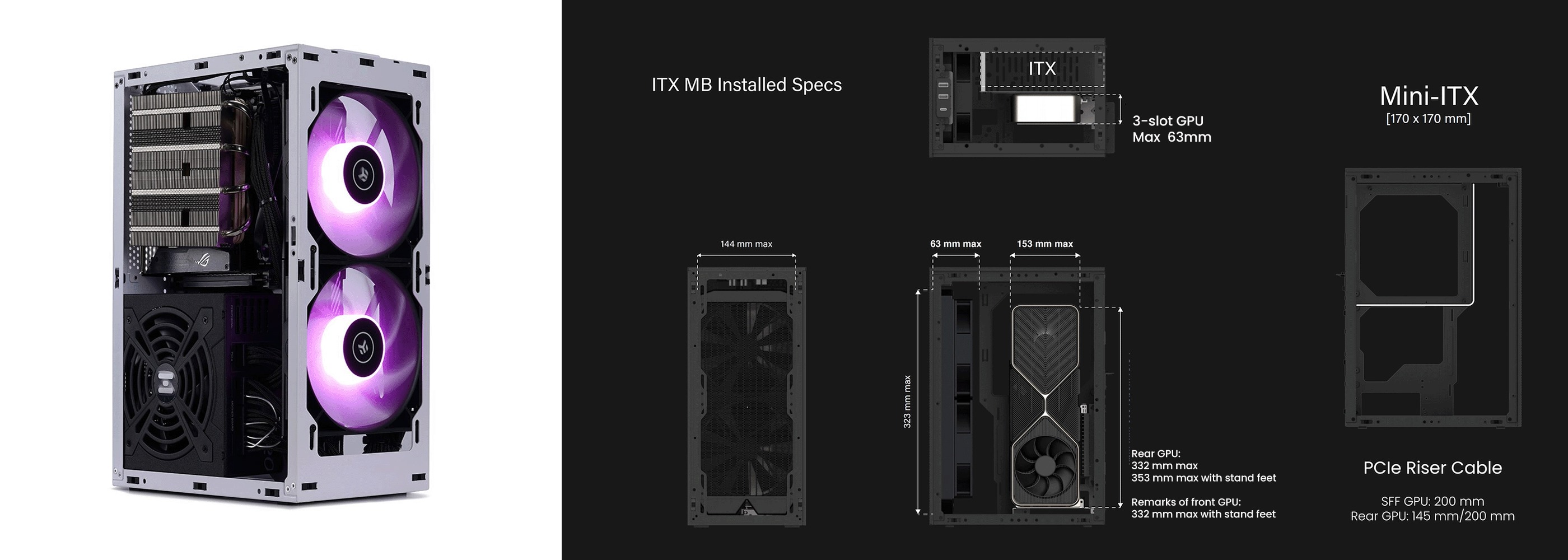
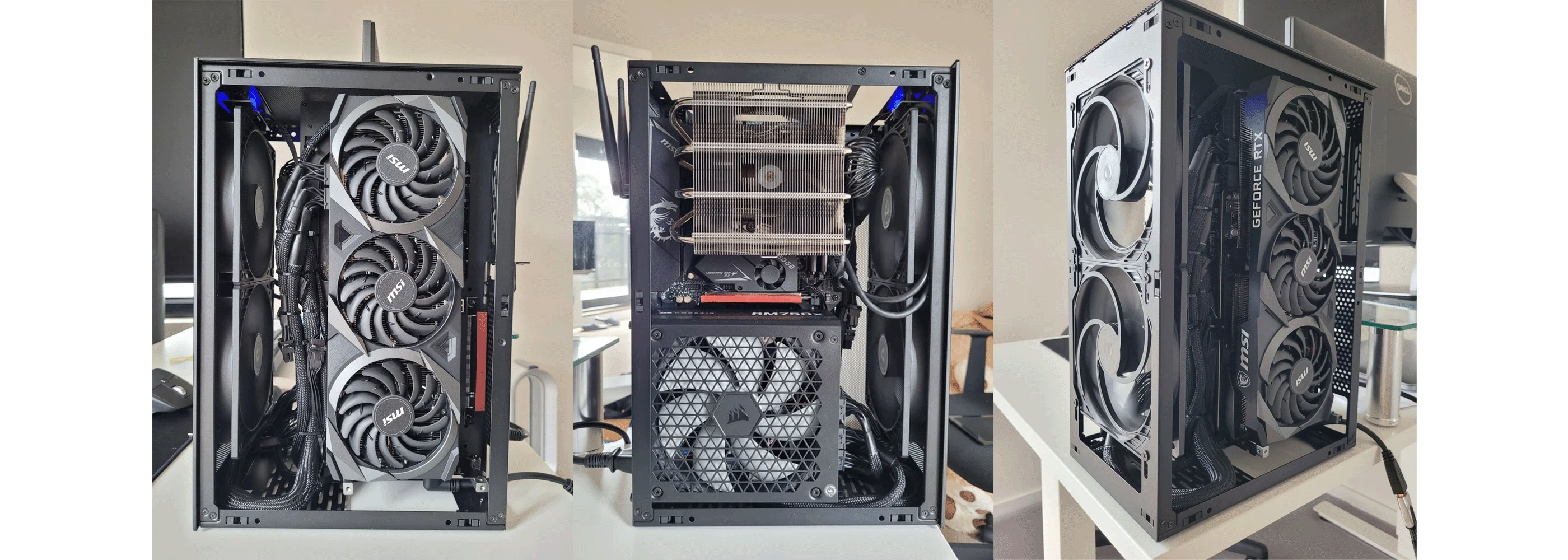
Motherboard Tray Position: Must use the 3-slot position to make room for PSU in the front.
GPU Compatibility:
Supports up to 3-slot GPUs(63mm).
4-slot GPUs are not compatible in this layout.
Rear position GPU:
Max length: 332 mm
Up to 352 mm with aluminum standing feet
Front position GPU:
Max length: 332 mm with standing feet
PSU Length Limitation:
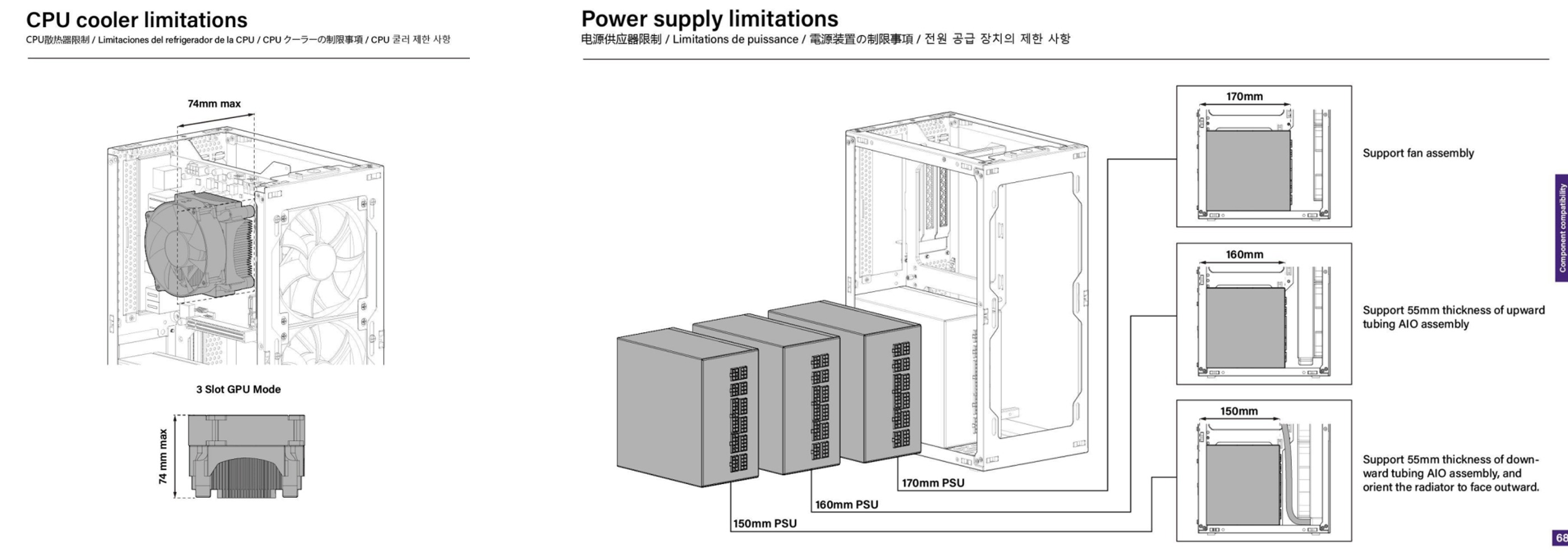
Supports ATX PSUs up to 170mm in length.
⚠️ Important Fitment Notes:
170 mm PSU → front-mounted AIO is blocked; supports only fan installation (no radiator).
160 mm PSU → supports AIO with upward tubing, max thickness 55 mm.
150 mm PSU → supports AIO with downward tubing, max thickness 55 mm; rotate the radiator to face outward.
Best overall flexibility: use a 150 mm ATX PSU.
Layout 2: PSU Behind Motherboard
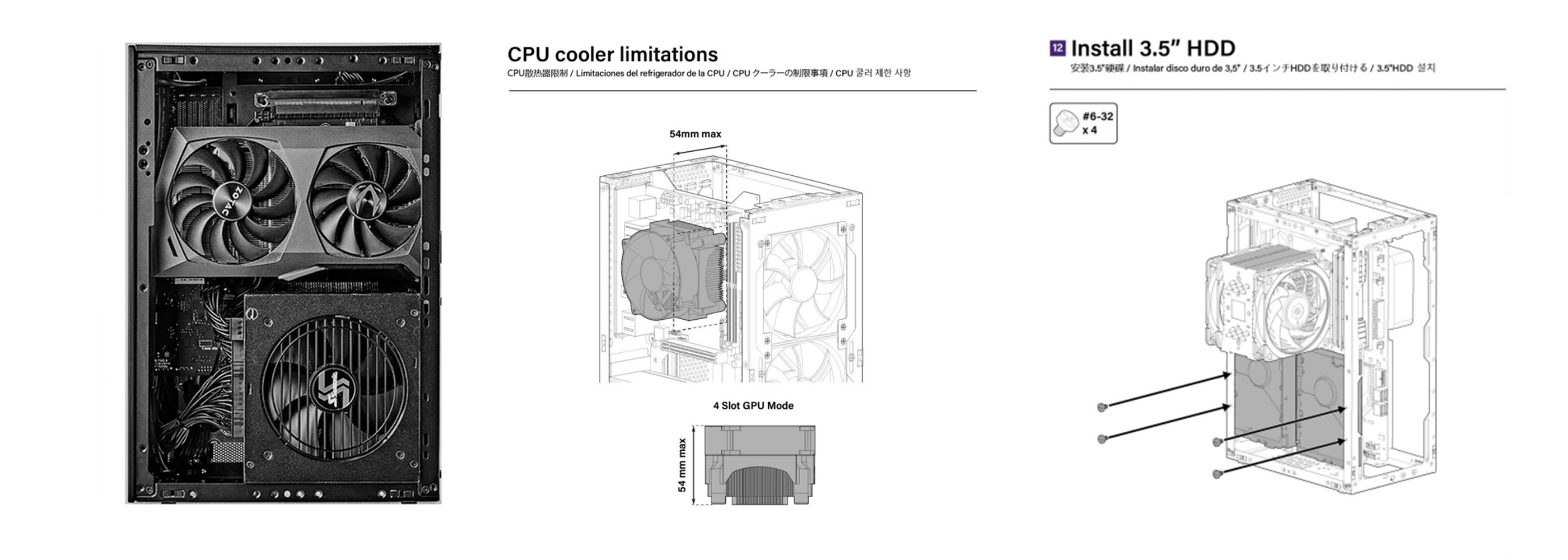
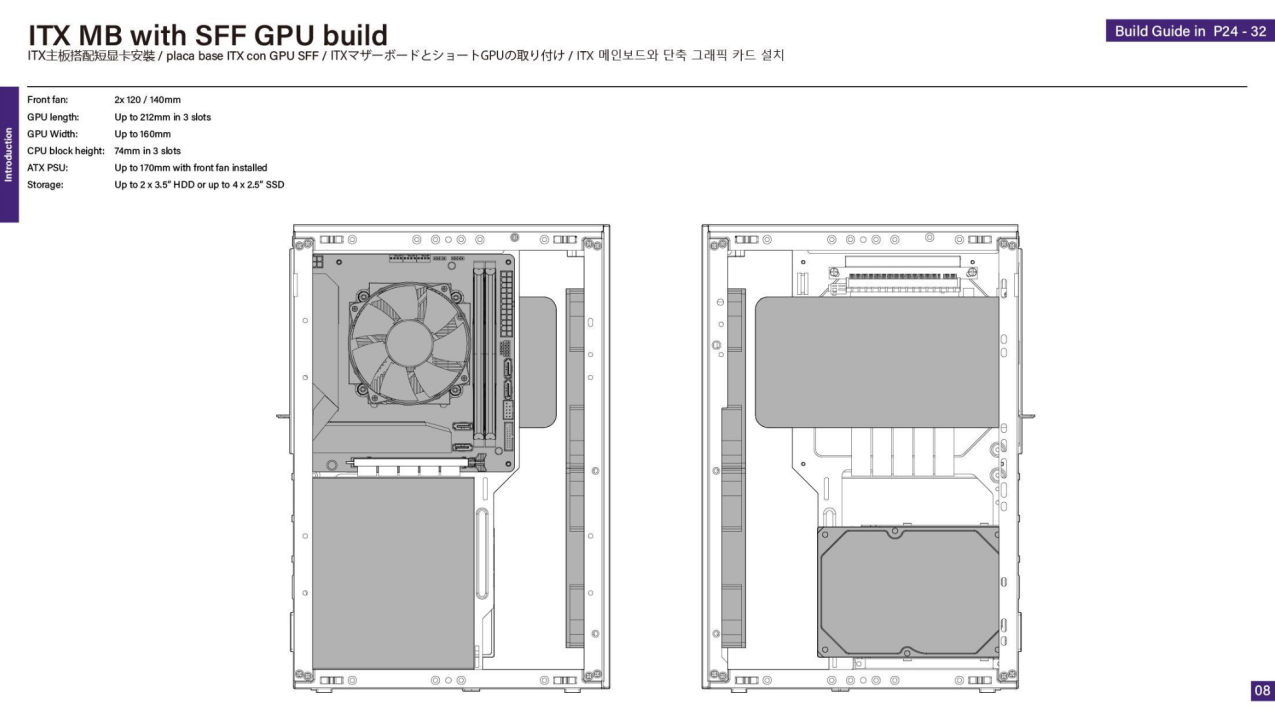
Motherboard Tray Position: Must use the 4-slot position to allow PSU placement behind the tray.
GPU Support:
Must use a Small Form Factor (SFF) GPU mounted in the rear position
CPU Cooler Support:
Max height: 54 mm (limited by tray offset)
Cooling: Limited to compact air cooling solutions only
Storage Advantage:
Frees up more space in the front for hard drives or airflow optimization
Summary Comparison Table
| Layout | PSU Position | GPU Type | Max GPU Length | CPU Cooler Height | AIO Support |
| Layout 1 | Front of MB | Up to 3-slot (63mm)GPU | 332–352 mm | <74 mm | 280 mm AIO OK |
| Layout 2 | Behind MB | SFF GPU only | SFF GPU only | <54 mm | Not supported |
Was this article helpful?
That’s Great!
Thank you for your feedback
Sorry! We couldn't be helpful
Thank you for your feedback
Feedback sent
We appreciate your effort and will try to fix the article